Event Storming
We conducted a virtual Event Storming session to explore the chosen domain and discover system boundaries. This section presents the outcomes of each phase of the iterative process.
The session was carried out using Miro as our collaborative workspace.
You can access the board here: Nucleo’s Event Storming
Chaotic Exploration
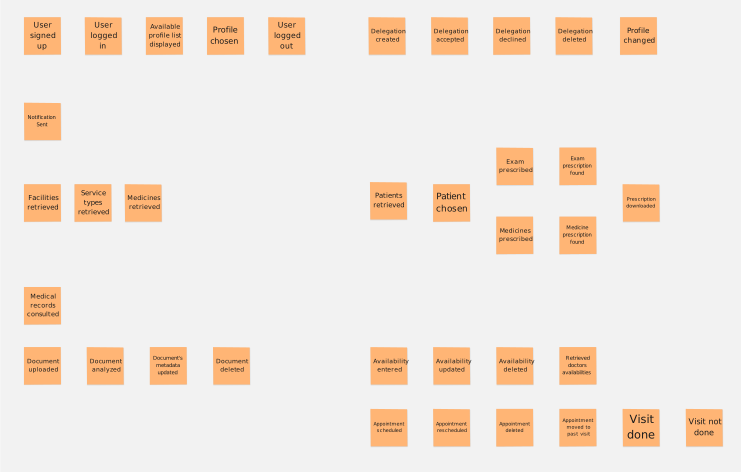
In this phase, we brainstormed all possible Domain Events (represented by orange post its) that could occur within the system.
Enforce the timeline
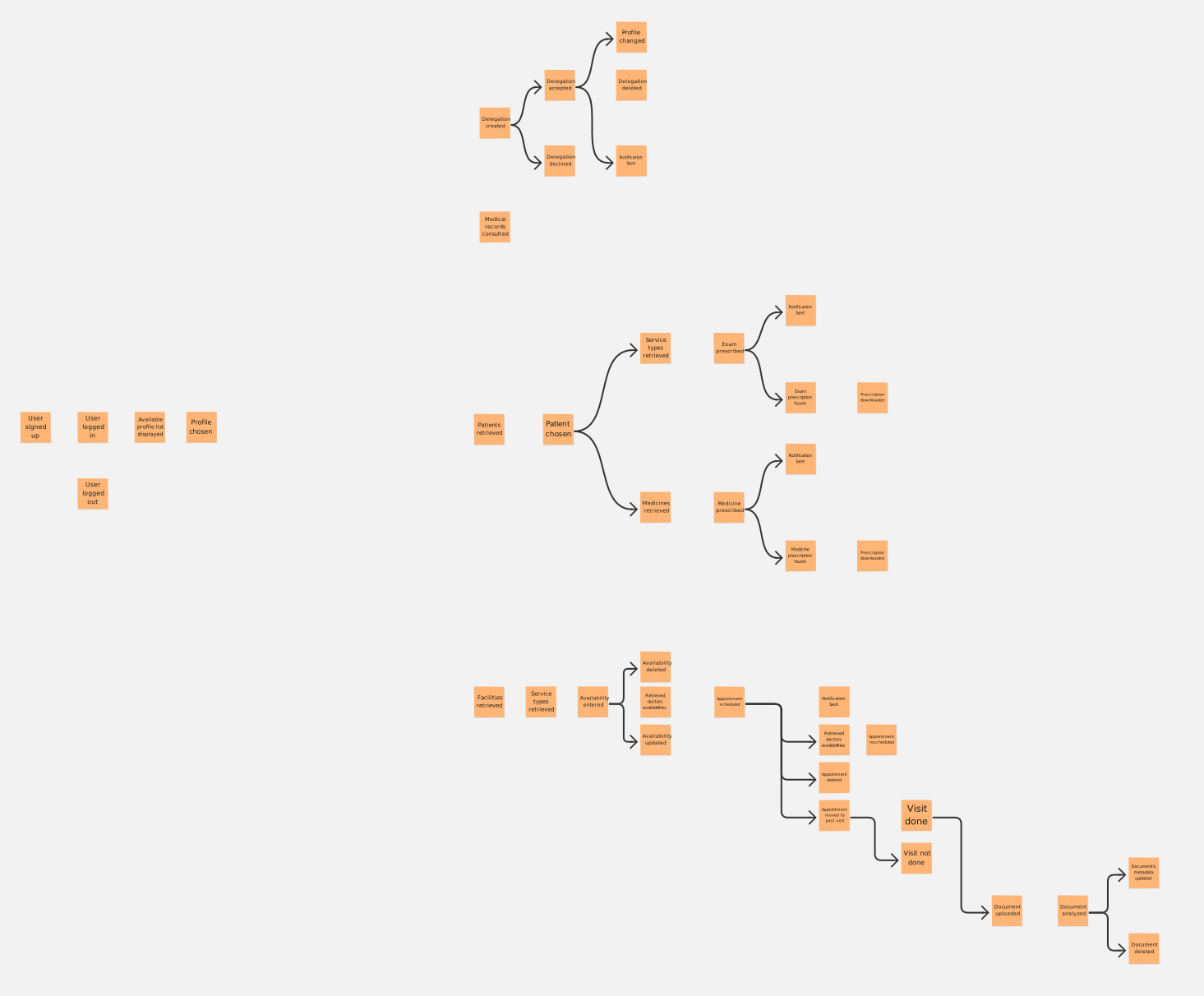
We organized the scattered events into a chronological flow from left to right.
Pain Points
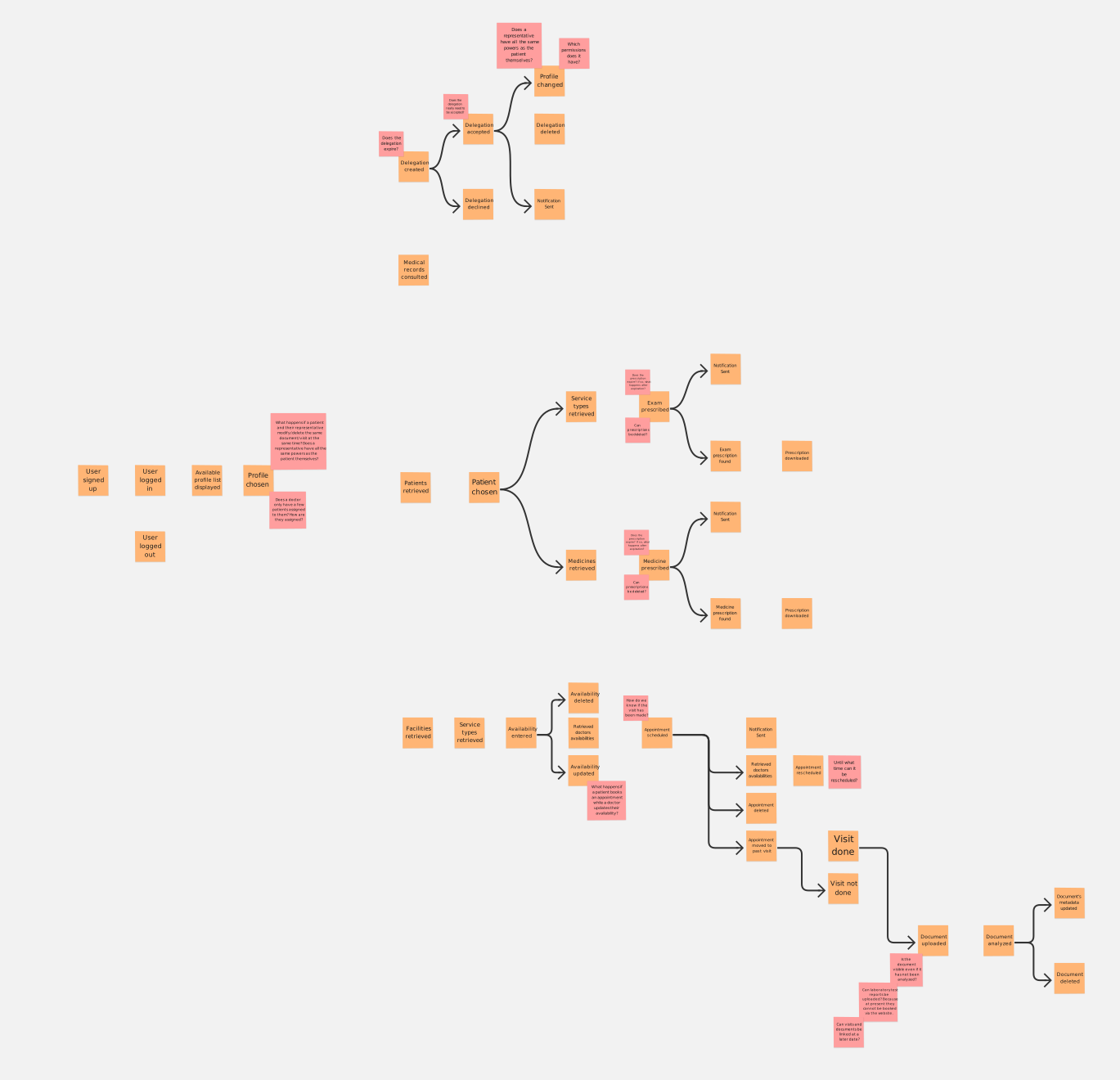
Using red stickers, we identified Hotspots or "Pain Points", i.e. processes that require further consideration and thoughtful analysis.
Pivotal Points
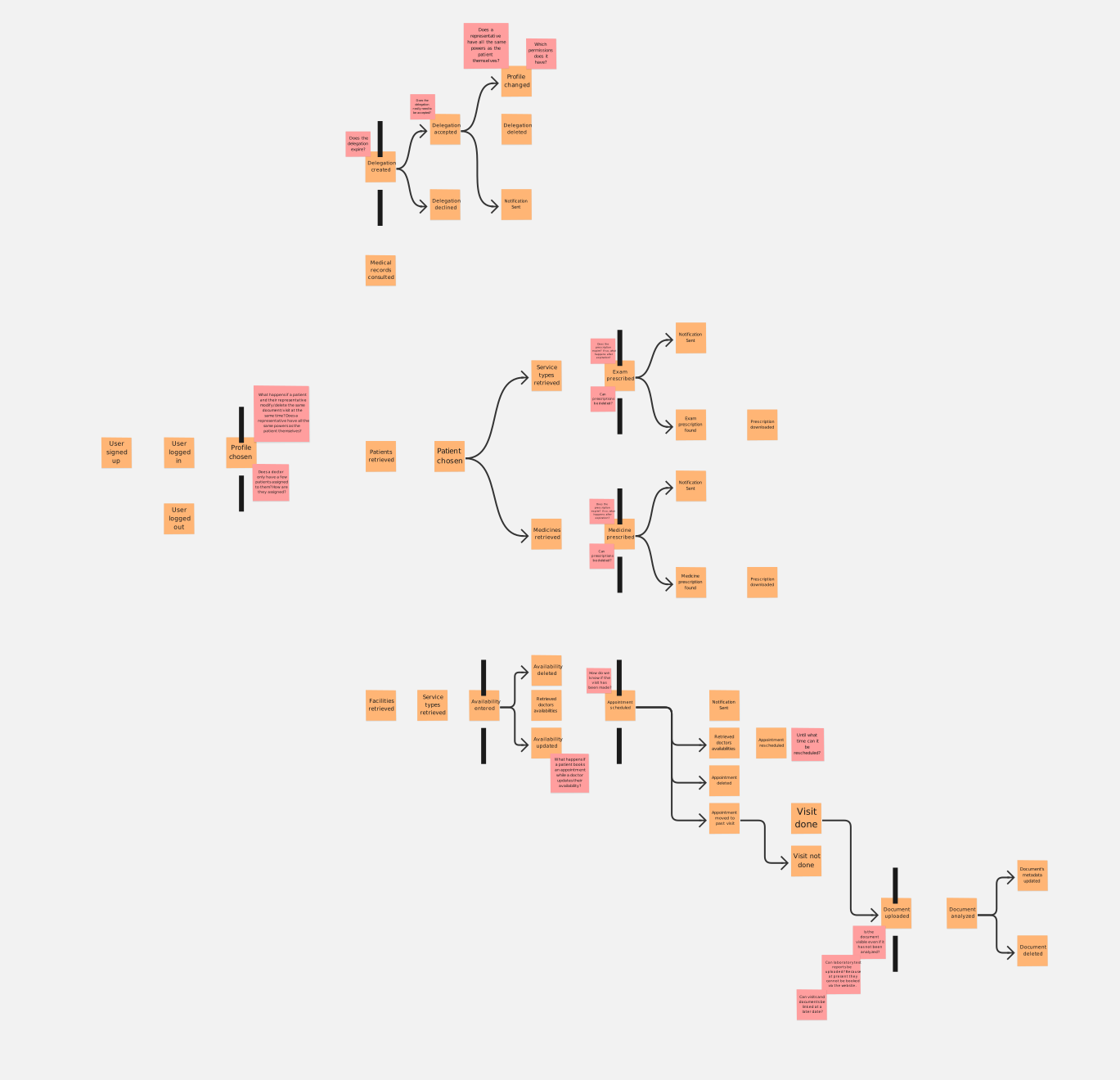
We identified Pivotal Points, which are significant events marking a transition from one phase of the business process to another.
Commands (+ People & Systems)
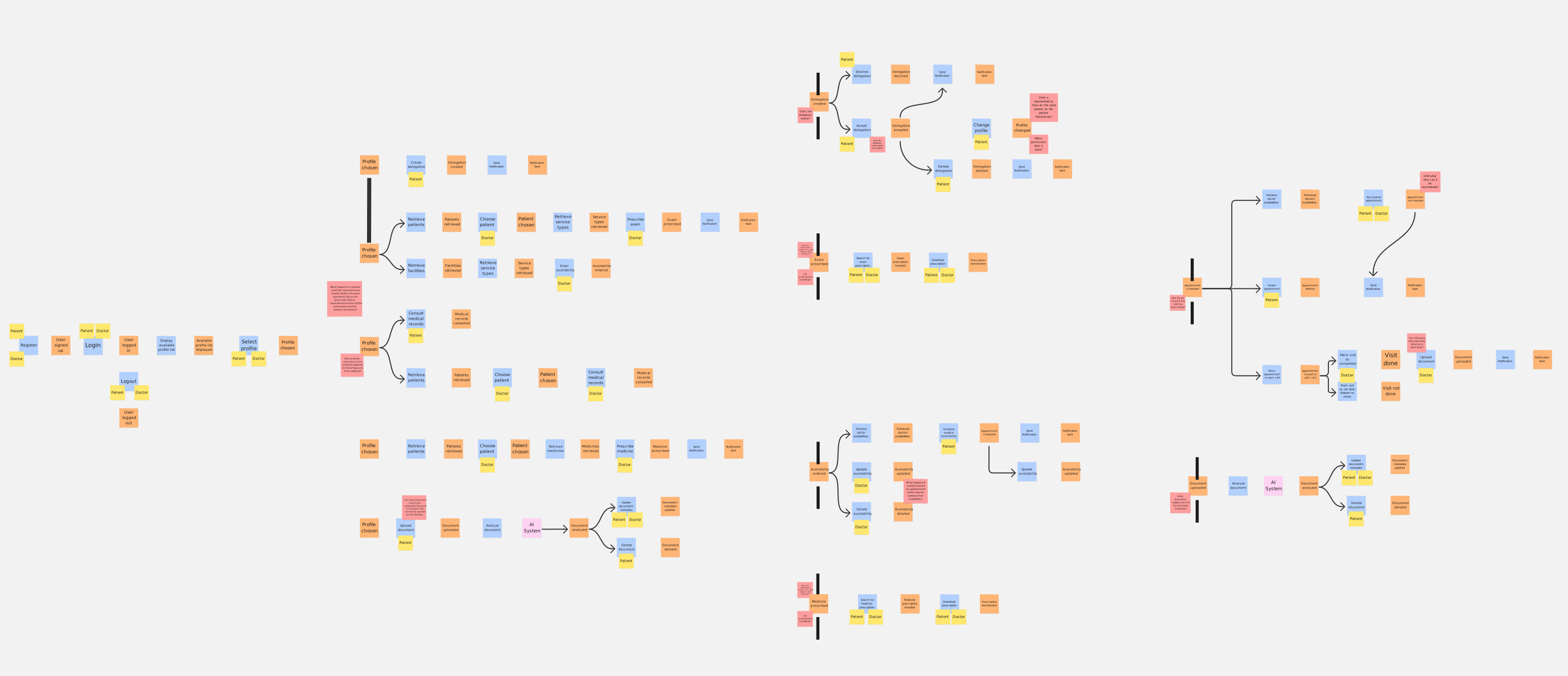
For every event, we identified the Command that triggered it. We specified the actors (Patient or Doctor) initiating the action and noted whenever an external system was required to complete the operation.
Policies
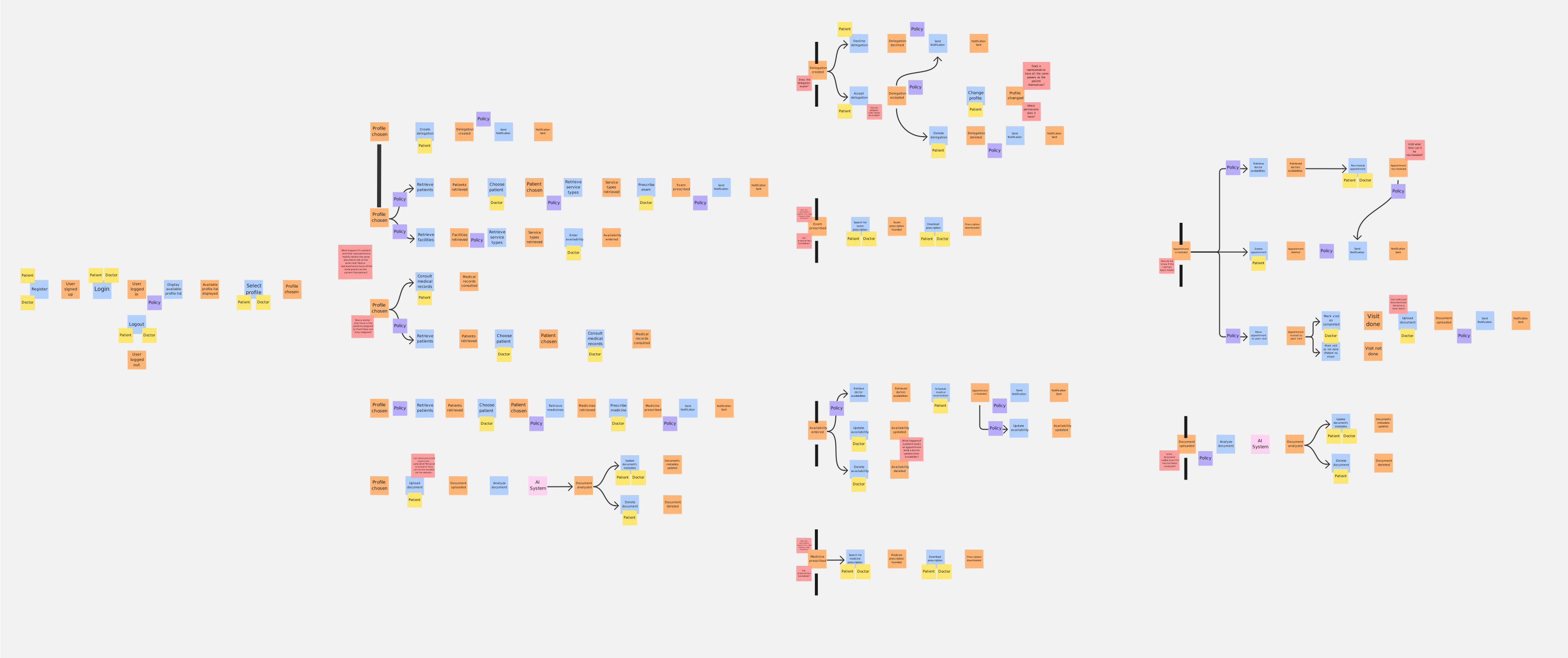
We mapped out the Policies, which represent the "reactive" logic of the system. These are the "whenever" rules that automate workflows without direct human intervention once a specific event occurs.
Read Models
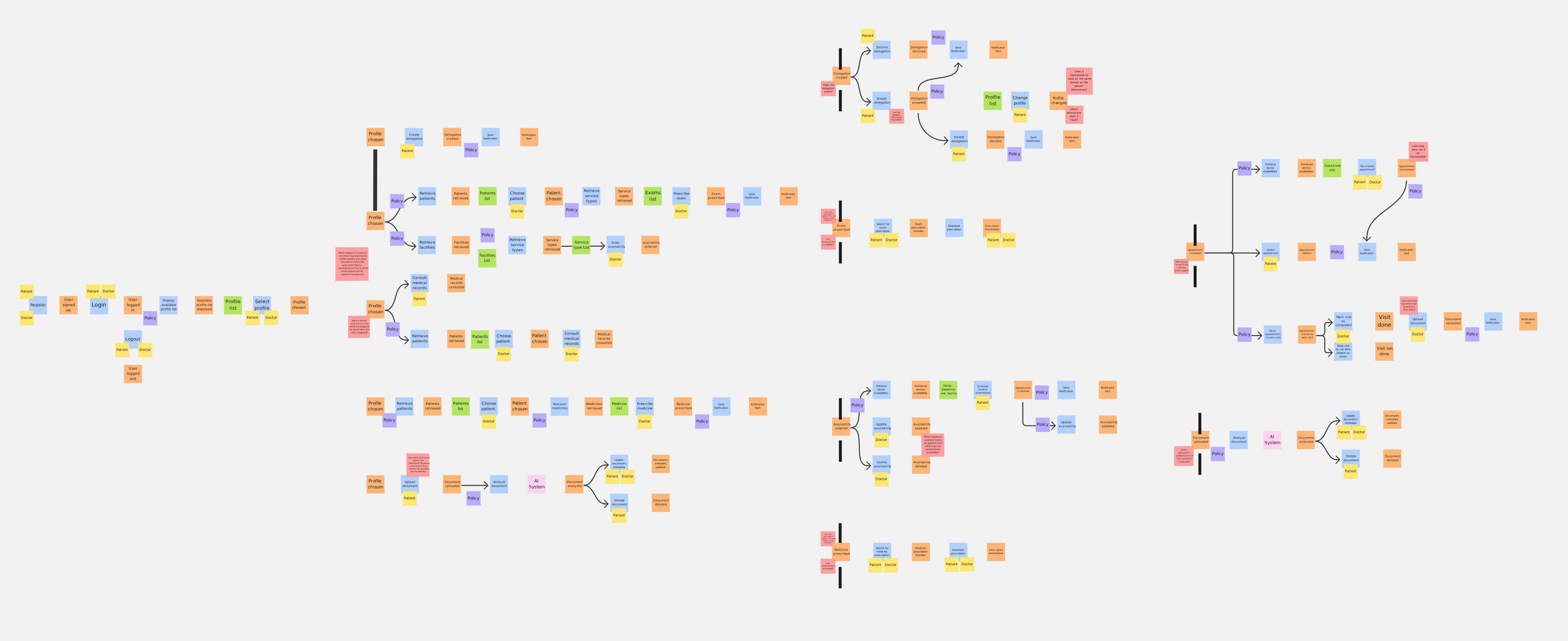
We defined the Read Models, which are the specific views of data required by actors to make informed decisions.
Aggregates
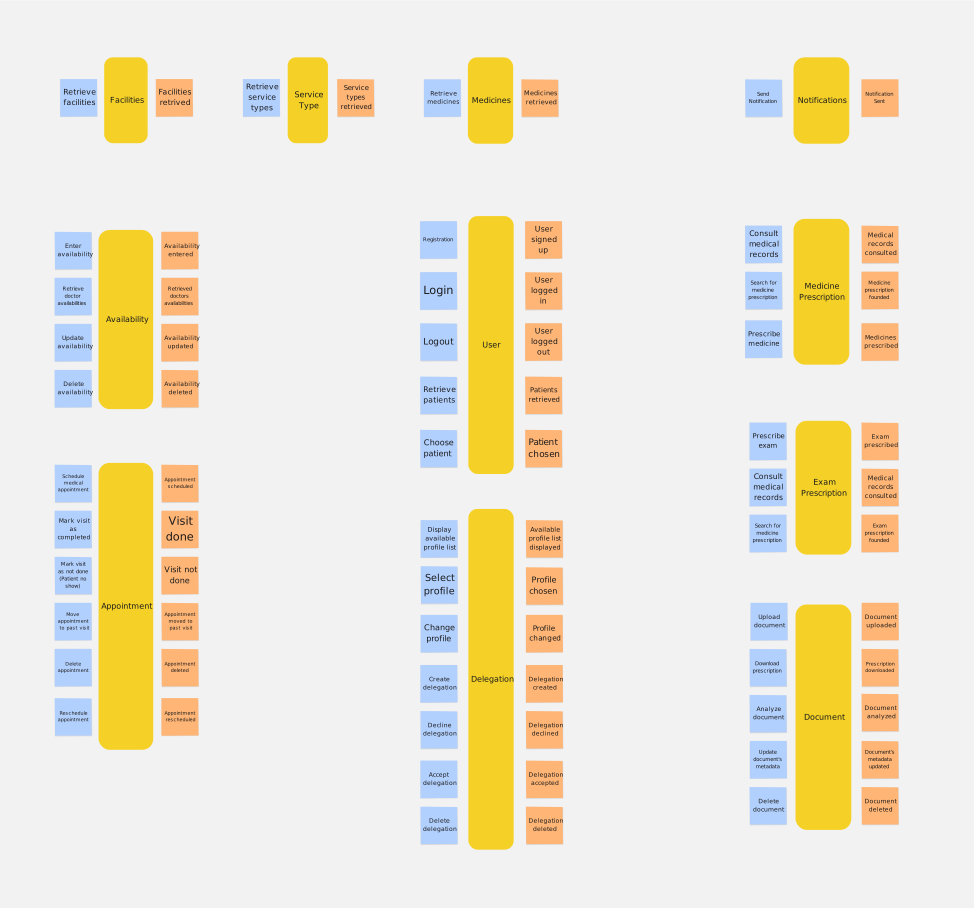
In this step, we grouped related commands and events into Aggregates. These represent the internal consistency boundaries of the domain, ensuring that all business rules and invariants are strictly enforced within a specific cluster of domain objects.
Bounded Contexts
Finally, we established the Bounded Contexts by grouping aggregates that share a common model and language.
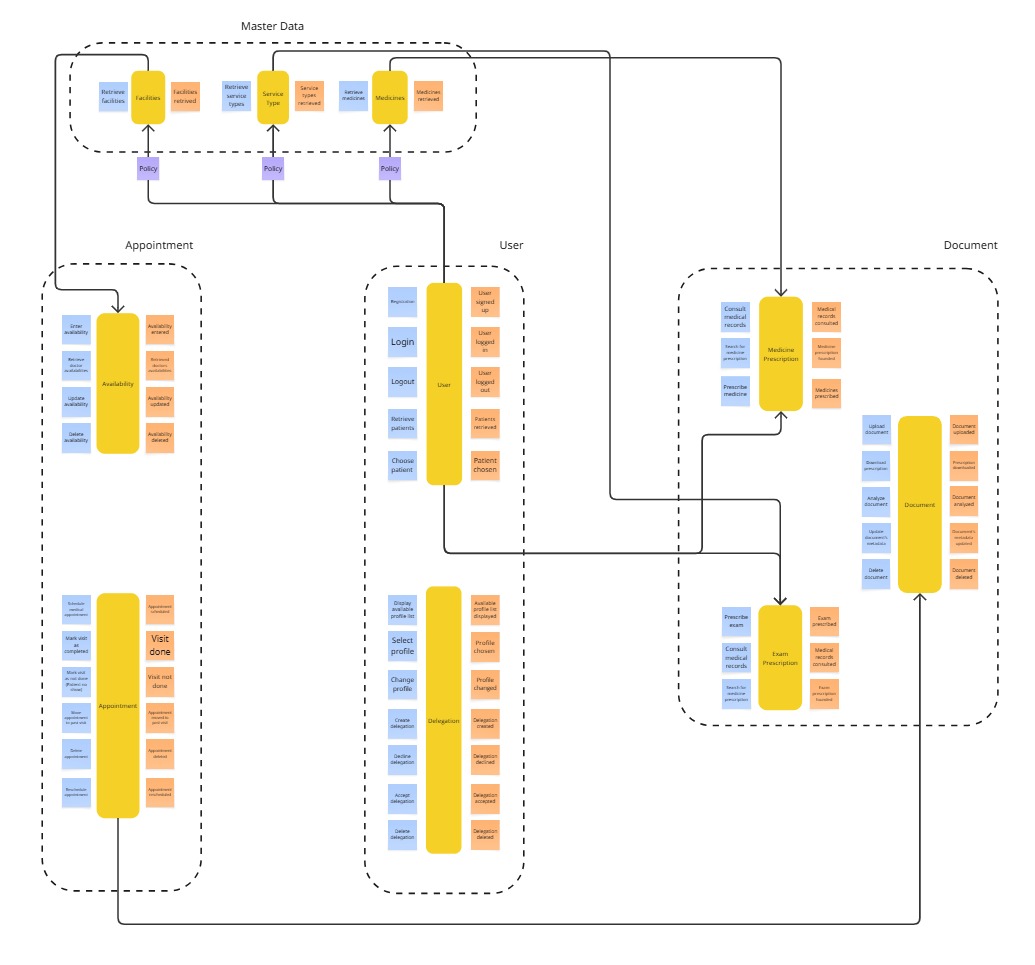
The identified bounded contexts are:
Users: everything related to users, including delegations and authentication.Appointment: covers scheduling, rescheduling and canceling of appointments.Document: everything concerning medical documents.Master Data: handles third-party data not owned by the system (e.g., medicines, facilities).